Academic

All Courses

Microsoft Ms Word Learning Tutorials

Batch Name

MS-Word

Course Start

1-March-2026

Course duration

20 Hours

Eligibility

NA

Click Here for CITC All Courses FEES for Online Courses Live Interaction with Teachers.
Microsoft Ms Word Learning Tutorials

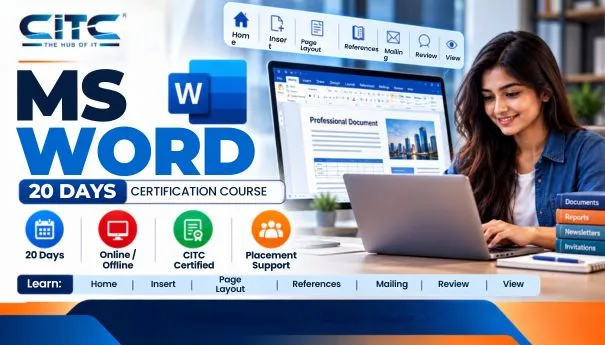
MS Word

Learn MS Word with CITC – An ISO 9001:2015 certified organization, associated with Microsoft, ICDL for International Computer courses, NIELIT, MSME & Google. 

About course

This is the certification course in MS-Word with 45 hours duration.  For this course, one should have a basic knowledge of computer and computer science. This certification course is a basic course that objective is providing the basic knowledge of MS-Word

.What you will Learn?

During this course, you will learn not only creating documents but also postcard creation, Newsletters, Flyers or Invitations, etc.

Scope

After completing this course, you can apply for the job of Data Entry, Print Consultant,  MS-Word Typing,  Office Assistant or helper, etc.

Click on the Buttons to Download Study Tutorial :


Module-1

Course Modules/Papers

  • MS Word
Course Syllabus

  • Home
  • Insert
  • Page Layout
  • References
  • Mailing
  • Review
  • View
Download Syllabus
Download Syllabus

Ready to take the next step? Download with one click.

Just fill the form—it’s free, fast, and your future starts here.

Learn from Online MS Word Learning Tutorials | CITC Chandigarh

This Microsoft Word Learning tutorial course, designed by CITC, requires new users to use text, tables, lists, and pictures, as well as to create, edit, and print business documents necessary to cover simple mail merge Imparts skills. Particular emphasis is located on producing accurate and well-designed documents.
CITC – An ISO 9001:2015 certified organization, associated with Microsoft, ICDL for International Computer courses, NIELIT, MSME & Google, is offering several Microsoft short-term courses certification in India.

Strengthen your necessary Computer Skills:

The course introduces by showing you how to navigate around Microsoft Word. Then it promptly takes you to create a new document before proceeding to features like text manipulation and enhancements, creating and using tabs and tables, embellishing reports with clip art and pictures, merging and printing documents. Create multiple documents.

Eligibility:

This is the Microsoft office online courses with a certificatecourse in with 20 hours duration. For this course, one should have a basic knowledge of computer and computer science. This certification course is an essential course whose objective is to provide the basic experience of MS-Word.

Syllabus for beginners:

This online MS word course with a certificate starts with a blank document. Still, you can also learn postcard creation, Newsletters, Flyers or Invitations, etc. and quickly dives using a combination of other MS word functions to perform basic tasks.
By getting registration in our course, you will learn:
• Home
• Insert
• Page Layout
• References
• Mailing
• Review
• View, etc.

Here you can go for after this course:

After getting certification in the Microsoft word training 2020 course for beginners, you will get job opportunities in various fields. This certification course benefits you from being recognized for your ability to hone your skills and work in the Microsoft Word platform. You can apply for the job of Data Entry, Print Consultant, MS-Word Typing, Office Assistant or helper, etc.