Franchise

All Courses

Type a course name or short form (acronym) to find any course quickly.
CCC

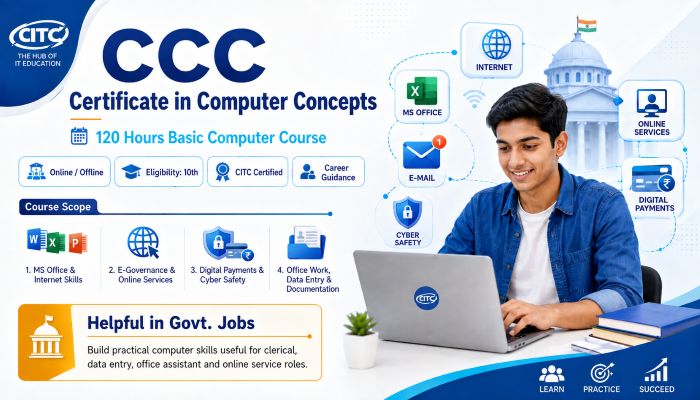
CCC Computer Course – Certificate in Computer Concepts

Start Date 1 October 2026
Duration 3 Months
Mode Online / Offline
Certification CITC Certified
Batch / Course CCC
Enroll Now Download Syllabus

Click here for CITC All Courses FEES

Course Highlights

What you get when you enrol with CITC

Industry-ready Curriculum
Practical Learning
CITC Certificate
Flexible Batches
Placement Support
Career Guidance
1,744+ Franchises
41,756+ Students
445+ Courses
10,439+ Govt. Placements
22,966+ Private Placements
CCC Computer Course – Certificate in Computer Concepts

CITC Certificate in Computer Concepts (CCC) is a beginner-friendly computer course designed to build practical digital skills for study, work and everyday use.

Learn computer fundamentals, MS Office, internet & email, digital services, online payments and cyber security through structured practical training. Ideal for students, job seekers, professionals and beginners looking to build strong basic computer knowledge with a recognised CITC learning pathway.

Course Papers / Subjects

What you will study in this programme

01
Computer Fundamentals
02
Operating Systems & File Management
03
MS Word – Document Creation & Formatting
04
MS Excel – Spreadsheets, Formulas & Data
05
Database Management Basics
06
MS PowerPoint – Presentation Skills
07
Internet & Web Browsing
08
Email & Digital Communication
09
E-Governance & Online Citizen Services
10
Digital Payments, UPI & Online Banking
11
Cyber Security & Emerging Technologies

Syllabus (Module-wise)

Expand each topic for details

Computer Fundamentals & Office Productivity 1

Build essential computer knowledge and office productivity skills through practical learning in computer fundamentals, operating systems, MS Word, Excel, databases and presentations.

  • Introduction, characteristics and applications of computers
  • History and generations of computers
  • Types of computers: Micro, Mini, Mainframe and Supercomputers
  • Basic components: CPU, monitor, keyboard and mouse
  • Computer hardware and software concepts
  • Input, output and storage devices
  • Hard disk, SSD and pen drive
  • System software and application software

  • Role and functions of an operating system
  • Introduction to Windows, Linux and DOS
  • Desktop, icons, taskbar and Start menu
  • Creating and managing files and folders
  • Copy, move, rename and delete operations
  • Basic system and Control Panel settings
  • Date, time, display and theme settings
  • Organising files for efficient computer use

  • Create, open, save and edit documents
  • Cut, copy, paste, undo and redo commands
  • Font and text formatting
  • Paragraph alignment, spacing, bullets and numbering
  • Insert tables, pictures, shapes, SmartArt and symbols
  • Page margins, orientation, size and breaks
  • Headers, footers and page numbers
  • Styles, themes and templates
  • Table of contents, footnotes and citations
  • Mail Merge for letters, labels and emails
  • Spell check, comments and Track Changes
  • Printing, exporting and document protection

  • Workbooks, worksheets, rows, columns and cells
  • Entering, editing and formatting data
  • Basic formulas and calculations
  • SUM, AVERAGE, MAX and MIN functions
  • Relative, absolute and mixed cell references
  • Sorting and filtering data
  • Conditional formatting
  • Bar, pie and line charts
  • Data validation and drop-down lists
  • Named ranges
  • Pivot Tables and Pivot Charts
  • IF, VLOOKUP, HLOOKUP and COUNTIF
  • Worksheet and workbook protection

  • Introduction to databases
  • Fields, records and tables
  • Creating and saving a database
  • Tables and different data types
  • Forms for data entry
  • Select and Parameter queries
  • Creating simple reports
  • Sorting and filtering records
  • Database relationships and referential integrity
  • Importing and exporting Excel data
  • Basics of macros and database security

  • Create and manage presentations and slides
  • Use layouts, themes and design templates
  • Insert text, images, tables and charts
  • Add audio and video
  • Apply transitions and animations
  • Create and run slide shows
  • Add speaker notes and handouts
  • Use Slide Master for consistent formatting
  • Create custom slide shows and hyperlinks
  • Use Presenter View and slide timings
  • Print and export presentations
Internet, Digital Services & Cyber Safety 2

Develop practical internet and digital literacy skills with email, online citizen services, digital payments, cyber safety and an introduction to emerging technologies.

  • Basics of the Internet and World Wide Web
  • Websites, web pages and URLs
  • Introduction to ISP and IP addresses
  • Using Chrome, Firefox and Edge
  • Effective use of Google and search engines
  • Downloading and uploading files
  • Browser history, cookies and cache
  • Private and incognito browsing
  • Basic safe browsing practices

  • Create and manage an email account
  • Send, receive and reply to emails
  • Use email attachments
  • Understand To, CC and BCC
  • Manage folders, labels and spam
  • Basics of WhatsApp, Facebook, LinkedIn and X
  • Online communication etiquette
  • Privacy and security settings
  • Recognising suspicious messages and links

  • Introduction to e-Governance services
  • Understanding online PAN, Aadhaar, Voter ID and Passport services
  • Online utility bill payment processes
  • Online appointment booking
  • Railway ticket booking basics
  • Using DigiLocker for digital documents
  • Introduction to the UMANG platform
  • Uploading documents and completing online forms
  • OTP-based verification and safe usage practices

  • Introduction to digital financial services
  • UPI and QR-code payments
  • BHIM, USSD and AEPS basics
  • Mobile payment applications and wallets
  • Internet and mobile banking
  • Using POS machines
  • Making and receiving digital payments
  • Protecting UPI PINs, OTPs and banking information
  • Identifying suspicious payment requests
  • Safe digital transaction practices

  • Introduction to cyber security
  • Malware, phishing and ransomware
  • Strong passwords and account security
  • Safe browsing and downloading practices
  • Protecting personal information online
  • Basic antivirus and device security
  • Introduction to Artificial Intelligence (AI)
  • Machine Learning basics
  • Cloud Computing
  • Blockchain and Big Data
  • Augmented Reality (AR) and Virtual Reality (VR)

What You Will Learn & Career Scope

Details from the course content

CCC Computer Course – Skills, Benefits & Learning Outcomes

Why Choose the CCC Computer Course?

The CITC Certificate in Computer Concepts gives beginners a practical foundation in computers and digital technology. The course combines computer fundamentals with office applications, internet skills, digital services and cyber safety so learners can confidently use technology for study, work and everyday tasks.

What Will You Learn?

  • Computer hardware and software fundamentals
  • Operating systems and file management
  • MS Word, Excel and PowerPoint skills
  • Basic database management
  • Internet browsing and online research
  • Email and digital communication
  • Online citizen and digital services
  • UPI and digital-payment basics
  • Cyber-security awareness
  • Introduction to AI and emerging technologies

Who Should Join?

This basic computer course for beginners is suitable for school and college students, job seekers, homemakers, working professionals, small business owners and anyone who wants to improve practical computer knowledge.

Useful Skills for Study, Office & Everyday Work

Learners develop practical skills for creating documents, working with spreadsheets, preparing presentations, managing files, using email, finding information online and accessing common digital services. These skills can support academic work, office tasks, business activities and everyday digital requirements.

Helpful Foundation for Job Seekers

Computer knowledge is useful for many entry-level roles involving office documentation, data handling, computer operations and digital communication. Some government and private recruitment notifications may also specify computer knowledge or a particular computer qualification. Candidates should always verify the exact requirement in the official recruitment notification.

What Can You Learn After CCC?

After completing the fundamentals, learners can progress to specialised courses such as DCA, Advanced Excel, Tally, Web Development, Programming, Digital Marketing, Graphic Designing, Data Analytics, Artificial Intelligence or Cyber Security, depending on their career goals.

Start Building Your Digital Skills

Learn essential computer concepts through the CITC CCC Computer Course and build a strong foundation for further education, employment and confident everyday use of digital technology.

Frequently Asked Questions

Common questions about this course

The CCC Computer Course is a beginner-friendly Certificate in Computer Concepts program that covers computer fundamentals, office applications, internet usage, email, digital services, digital payments and cyber security

The course is suitable for students, job seekers, homemakers, working professionals, business owners and beginners who want to develop practical computer and digital skills.

Yes. The course starts with basic computer concepts and gradually introduces practical applications, making it suitable for learners with little or no previous computer knowledge.

The CITC Certificate in Computer Concepts course has a duration of 3 months.

The course covers computer fundamentals, hardware and software, operating systems, file management, MS Word, MS Excel, MS PowerPoint, database basics, internet and email, digital services, digital payments, cyber security and introductory emerging technologies.

Yes. Learners develop practical skills in word processing, spreadsheets and presentations using applications such as MS Word, MS Excel and MS PowerPoint.

Yes. The course combines computer concepts with practical learning in documents, spreadsheets, presentations, file management, internet usage and other everyday digital tasks.

Yes. The syllabus includes web browsing, search engines, downloading and uploading files, email management, attachments, online communication and safe internet practices.

Yes. Learners are introduced to UPI, BHIM, QR-code payments, mobile wallets, internet banking, mobile banking and important digital transaction safety practices.

Yes. The course introduces phishing, malware, ransomware, password protection, safe browsing, account security and other basic cyber-security practices

Computer knowledge or a specified computer qualification may be required for certain government recruitments. Requirements vary by post and recruiting authority, so candidates should always check the official recruitment notification for the exact eligibility requirements.

Yes. CITC offers the Certificate in Computer Concepts course through online and offline learning modes.

Learners can develop basic computer operation, file management, document creation, spreadsheet, presentation, internet, email, digital service, digital payment, and cyber-safety skills

After building a basic computer foundation, learners can explore courses such as DCA, Advanced Excel, Tally, programming, Web Development, Digital Marketing, Graphic Designing, Data Analytics, Artificial Intelligence or Cyber Security.

Use the Register Now option on the course page to submit your details and enquire about the current batch, learning mode and admission process.

Real Stories. Real CITC.

Stories That Inspire Trust

Training at 25 PB Battalion
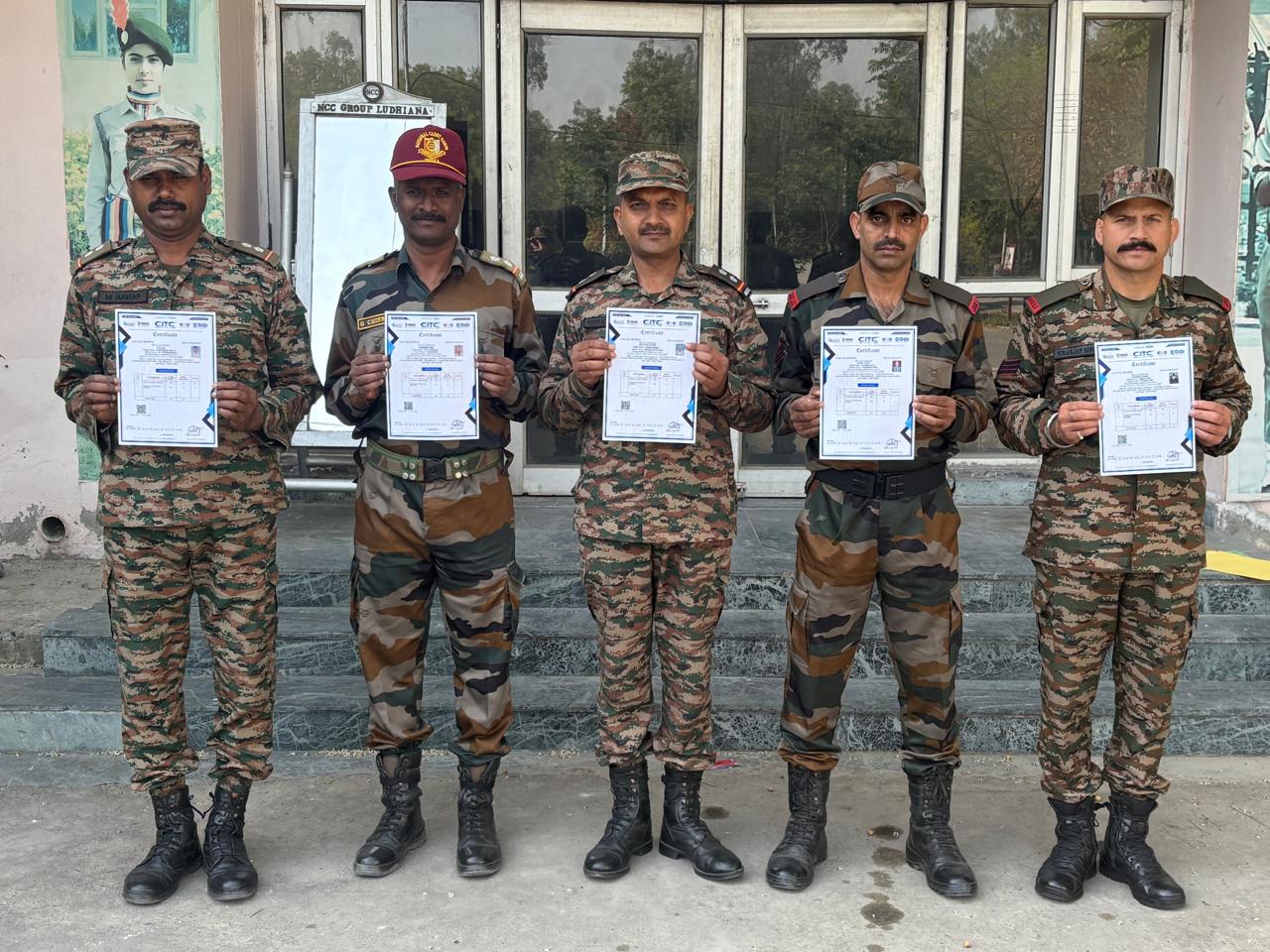
Training at 25 PB Battalion

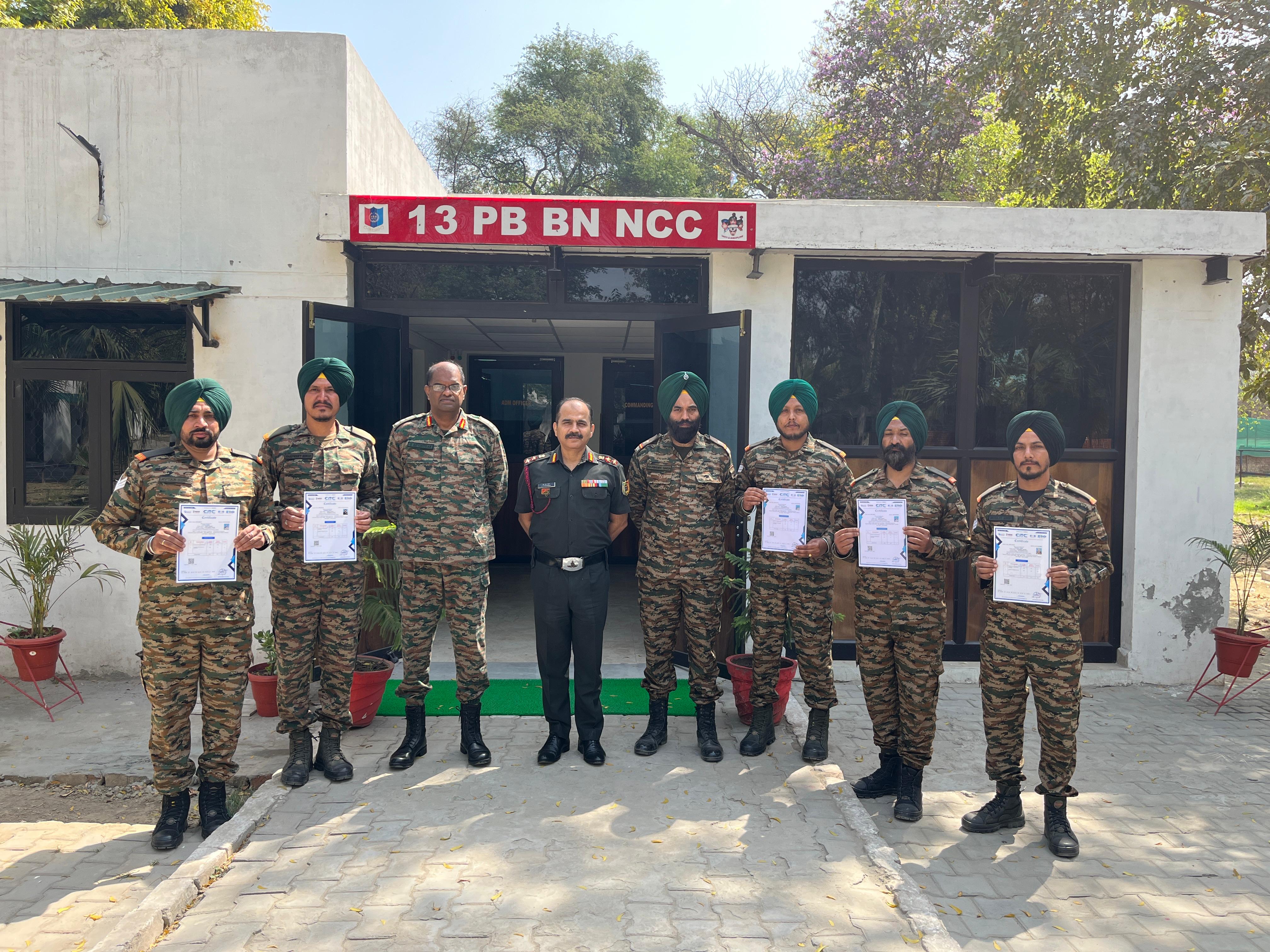
Training at 13 PB Battalion

Training at 13 PB Battalion